COMPUTER SCIENCE
Innovative tech professional with 17+ years of experience working as a Government Computer Faculty & Programmer. Capable of working with a variety of technology and software solutions and managing databases. Valuable team member who has experience diagnosing problems and developing solutions.
When there's a task that can be done manually in 10 minutes but you find a way to automate it in 10 days. I'm gonna do what's called a Programmer move.
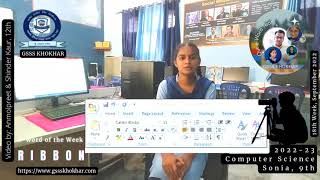
ਮਾਈਕ੍ਰੋਸਾਫਟ ਆਫਿਸ ਐਪਲੀਕੇਸ਼ਨਾਂ ਵਿੱਚ, ਰਿਬਨ ਵਿੰਡੋ ਦੇ ਸਿਖਰ ਤੇ ਹੁੰਦਾ ਹੈ। ਇਸ ਵਿੱਚ ਕਈ ਤਰ੍ਹਾਂ ਦੇ ਟੂਲ ਹਨ, ਟੈਬਾਂ ਦੁਆਰਾ ਵਿਵਸਥਿਤ ਕੀਤੇ ਗਏ ਹਨ ਜੋ ਇਕ ਦਸਤਾਵੇਜ ਨੂੰ ਐਡਿਟ ਕਰਨ ਅਤੇ ਫਾਰਮੈਟ ਕਰਨ ਵਿੱਚ ਤੁਹਾਡੀ ਮਦਦ ਕਰਦੇ ਹਨ।
ਫੌਂਟ - ਫੌਂਟ ਦਾ ਫੇਸ ਬਦਲਦਾ ਹੈ ਜਿਵੇ ਕਿ ਏਰੀਅਲ ਕੈਲਿਬਰੀ ਜਾਂ ਅਨਮੋਲਲਿਪੀ
ਫੌਂਟ ਦਾ ਅਕਾਰ - ਲੋੜੀਂਦਾ ਫੌਂਟ ਆਕਾਰ ਚੁਣਨਾ ਹੈ।
ਫੌਂਟ ਦਾ ਆਕਾਰ ਵਧਾਓ - ਫੌਂਟ ਆਕਾਰ ਨੂੰ ਇੱਕ ਆਕਾਰ ਵੱਡਾ ਬਣਾਉਂਦਾ ਹੈ।
ਫੋਂਟ ਦਾ ਆਕਾਰ ਘਟਾਓ - ਫੌਂਟ ਆਕਾਰ ਨੂੰ ਇਕ ਆਕਾਰ ਛੋਟਾ ਬਣਾਉਂਦਾ ਹੈ।
ਸਾਰੀ ਫਾਰਮੈਟਿੰਗ ਸਾਫ਼ ਕਰੋ - ਸਾਦੇ ਟੈਕਸਟ ਨੂੰ ਛੱਡ ਕੇ, ਸਾਰੇ ਫਾਰਮੈਟਿੰਗ ਸਾਫ਼ ਕਰਨ ਲਈ।
ਬੋਲਡ - ਟੈਕਸਟ ਨੂੰ ਬੋਲਡ ਬਣਾਉਦਾ ਹੈ।
ਇਟੈਲਿਕਾਈਜ਼ - ਟੈਕਸਟ ਨੂੰ ਇਟੈਲਿਕਾਈਜ਼ ਕਰਦਾ ਹੈ।
ਅੰਡਰਲਾਈਨ - ਟੈਕਸਟ ਨੂੰ ਅੰਡਰਲਾਈਨ ਕਰਦਾ ਹੈ।
ਸਟ੍ਰਾਈਕਥਰੂ - ਟੈਕਸਟ ਦੇ ਉਪਰ ਇਕ ਲਾਇਨ ਲਗਾਂਦਾ ਹੈ।
ਸਬਸਕ੍ਰਿਪਟ - ਟੈਕਸਟ ਦੇ ਹੇਠਾਂ ਛੋਟੇ ਅੱਖਰ ਟਾਈਪ ਕਰਦਾ ਹੈ।
ਸੁਪਰਸਕ੍ਰਿਪਟ - ਟੈਕਸਟ ਦੇ ਉਪਰ ਛੋਟੇ ਅੱਖਰ ਟਾਈਪ ਕਰਦਾ ਹੈ।
ਟਾਈਪੋਗ੍ਰਾਫੀ - ਟੈਕਸਟ ਵਿੱਚ ਰੂਪਰੇਖਾ ਜਾਂ ਸ਼ੈਡੋ ਵਰਗੇ ਪ੍ਰਭਾਵਾਂ ਨੂੰ ਜੋੜਦਾ ਹੈ।
ਟੈਕਸਟ ਹਾਈਲਾਈਟ - ਟੈਕਸਟ ਨੂੰ ਹਾਈਲਾਈਟ ਕਰਦਾ ਹੈ।
ਫੌਂਟ ਦਾ ਰੰਗ - ਫੌਂਟ ਦਾ ਰੰਗ ਬਦਲਦਾ ਹੈ।

In Microsoft Office applications, the Ribbon is the bar at the top of the window. It contains a variety of tools, organized by tabs that help you edit and format a document.
Microsoft Word Ribbon : Home tab
Font
- Changes the font face i.e. Arial, Calibri or AnmolLipi. Font Size
- Selects the desired font size. Increase Font Size
- Makes the font size one size larger. Decrease Font Size
- Makes the font size one size smaller. Clear all formatting
- Clears all formatting, leaving plain text. Bold
- Makes the text bold. Italicize
- Makes the text italicized. Underline
- Underlines the text. Strikethrough
- Crosses out the text. Subscript
- Types small letters below the text. e.g., H20. Superscript
- Types small letters above the text. e.g., X2.
- Adds effects like outline or shadow to the text. Text Highlight Color
- Highlights text. e.g., www.pseb.ac.in. Font Color
- Changes the color of the font.