COMPUTER SCIENCE
Innovative tech professional with 17+ years of experience working as a Government Computer Faculty & Programmer. Capable of working with a variety of technology and software solutions and managing databases. Valuable team member who has experience diagnosing problems and developing solutions.
When there's a task that can be done manually in 10 minutes but you find a way to automate it in 10 days. I'm gonna do what's called a Programmer move.
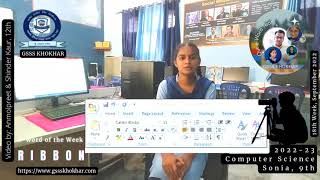
ਸਿਲੈਕਟ ਕਰਨਾ ਟੈਕਸਟ ਨੂੰ ਹਾਈਲਾਈਟ ਕਰਨਾ ਜਾਂ ਕਿਸੇ ਵਸਤੂ ਨੂੰ ਚੁਣਨਾ ਹੈ। ਉਦਾਹਰਨ ਲਈ, ਤੁਸੀਂ ਉਸ ਟੈਕਸਟ ਨੂੰ ਕਾਪੀ ਕਰਨ, ਕੱਟਣ ਜਾਂ ਕਿਸੇ ਵਿਕਲਪ ਸਥਾਨ ਤੇ ਲਿਜਾਣ ਲਈ ਟੈਕਸਟ ਦੀ ਚੋਣ ਕਰ ਸਕਦੇ ਹੋ। ਵਿੰਡੋਜ ਕੰਪਿਊਟਰ ਤੇ ਫਾਇਲ ਜਾ ਫੋਲਡਰ ਨੂੰ ਕਾਪੀ ਜਾਂ ਮੂਵ ਕਰਨ ਲਈ ਚੁਣ ਸਕਦੇ ਹੋ। ਜੇਕਰ ਕੋਈ ਚੀਜ਼ ਚੁਣੀ ਜਾਂਦੀ ਹੈ ਤਾਂ ਸਕ੍ਰੀਨ ਤੇ ਕਿਤੇ ਹੋਰ ਕਲਿਕ ਕਰਕੇ ਇਸਨੂੰ ਅਣ-ਚੁਣਿਆ ਕਰ ਸਕਦੇ ਹੋ।

ਟੈਕਸਟ ਦੀ ਚੋਣ ਕਿਵੇਂ ਕਰੀਏ ?
ਟੈਕਸਟ ਦੀ ਚੋਣ ਕਰਨ ਲਈ, ਮਾਊਸ ਬਟਨ ਨੂੰ ਦਬਾ ਕੇ ਰੱਖੋ ਅਤੇ ਮਾਊਸ ਬਟਨ ਨੂੰ ਫੜਨਾ ਜਾਰੀ ਰੱਖਦੇ ਹੋਏ ਉਸ ਦਿਸ਼ਾ ਵੱਲ ਖਿੱਚੋ ਜਿਸ ਨੂੰ ਤੁਸੀਂ ਹਾਈਲਾਈਟ ਕਰਨਾ ਚਾਹੁੰਦੇ ਹੋ। ਤੁਸੀਂ ਸ਼ਬਦ ਚੁਣਨ ਲਈ ਕਿਸੇ ਸ਼ਬਦ ਤੇ ਡਬਲ-ਕਲਿਕ ਕਰਕੇ ਜਾਂ ਪੂਰੇ ਵਾਕ ਜਾਂ ਪੈਰਾਗ੍ਰਾਫ ਨੂੰ ਚੁਣਨ ਲਈ ਤਿੰਨ ਵਾਰ ਕਲਿੱਕ ਕਰਕੇ ਟੈਕਸਟ ਦੀ ਚੋਣ ਵੀ ਕਰ ਸਕਦੇ ਹੋ।
ਧਿਆਨ ਵਿੱਚ ਰੱਖੋ ਕਿ ਜੇਕਰ ਤੁਸੀਂ ਟੈਕਸਟ ਚੁਣੇ ਜਾਣ ਤੇ ਕੁਝ ਵੀ ਟਾਈਪ ਕਰਦੇ ਹੋ, ਤਾਂ ਚੁਣਿਆ ਟੈਕਸਟ ਤੁਹਾਡੇ ਦੁਆਰਾ ਟਾਈਪ ਕੀਤੇ ਜਾਣ ਨਾਲ ਬਦਲ ਦਿੱਤਾ ਜਾਂਦਾ ਹੈ। ਜੇਕਰ ਤੁਸੀਂ ਇਸ ਨੂੰ ਗਲਤੀ ਵੱਜੋਂ ਕਰਦੇ ਹੋ, ਤਾਂ ਅਨਡੂ ਵਿਸ਼ੇਸ਼ਤਾ ਦੀ ਵਰਤੋਂ ਕਰੋ।
ਦਿਲਚਸਪ ਤੱਥ :
1. ਇੱਕ ਵਾਰ ਇੱਕ ਫਾਈਲ ਜਾਂ ਫੋਲਡਰ ਚੁਣੇ ਜਾਣ ਤੋਂ ਬਾਅਦ, ਤੁਸੀਂ ਫਾਈਲ ਨੂੰ ਕਾਪੀ ਕਰ ਸਕਦੇ ਹੋ, ਫਾਈਲ ਜਾਂ ਫੋਲਡਰ ਨੂੰ ਮਿਟਾ ਸਕਦੇ ਹੋ, ਜਾਂ ਫਾਈਲ ਜਾਂ ਫੋਲਡਰ ਨੂੰ ਮੂਵ ਕਰ ਸਕਦੇ ਹੋ।
2. ਤੁਸੀਂ Esc ਦਬਾ ਕੇ ਇੱਕ ਫਾਈਲ, ਫੋਲਡਰ, ਜਾਂ ਹੋਰ ਆਈਕਨ ਨੂੰ ਅਣ-ਚੁਣਿਆ ਕਰ ਸਕਦੇ ਹੋ।
Selecting is highlighting text or picking an object. For example, you can select text to copy, cut, or move that text to an alternate location. In File Explorer on a Windows computer or Finder on a Mac computer, you can select a file or folder to copy or move it. If something is selected, you can deselect it by clicking somewhere else on the screen.
How to select text?
To select text, click and hold down the mouse button and while continuing to hold the mouse button drag in the direction you want to highlight. You can also select text by double-clicking a word to select the word or triple-clicking to select the full sentence or paragraph.
Keep in mind that if you type anything when text is selected, the selected text is replaced by what you type. If you do this as a mistake, use the undo feature.
Interesting Facts:
1. Once a file or folder is selected, you can copy the file, delete the file or folder, or move the file or folder.
2. You may deselect a file, folder, or another icon by pressing the Esc.